Guides
Group the map into lanes
Put the map into lanes, one for each team, sprint, epic, release or other field, to see which dependencies cross from one lane to another.
A dependency inside one team is routine. A dependency between two teams, or between this sprint and the next, is where plans go wrong. Group puts the map into lanes so those are the lines that cross from one lane to another.
Group the map
- Click Group in the toolbar.
- Choose what a lane stands for, for example Team or Sprint.
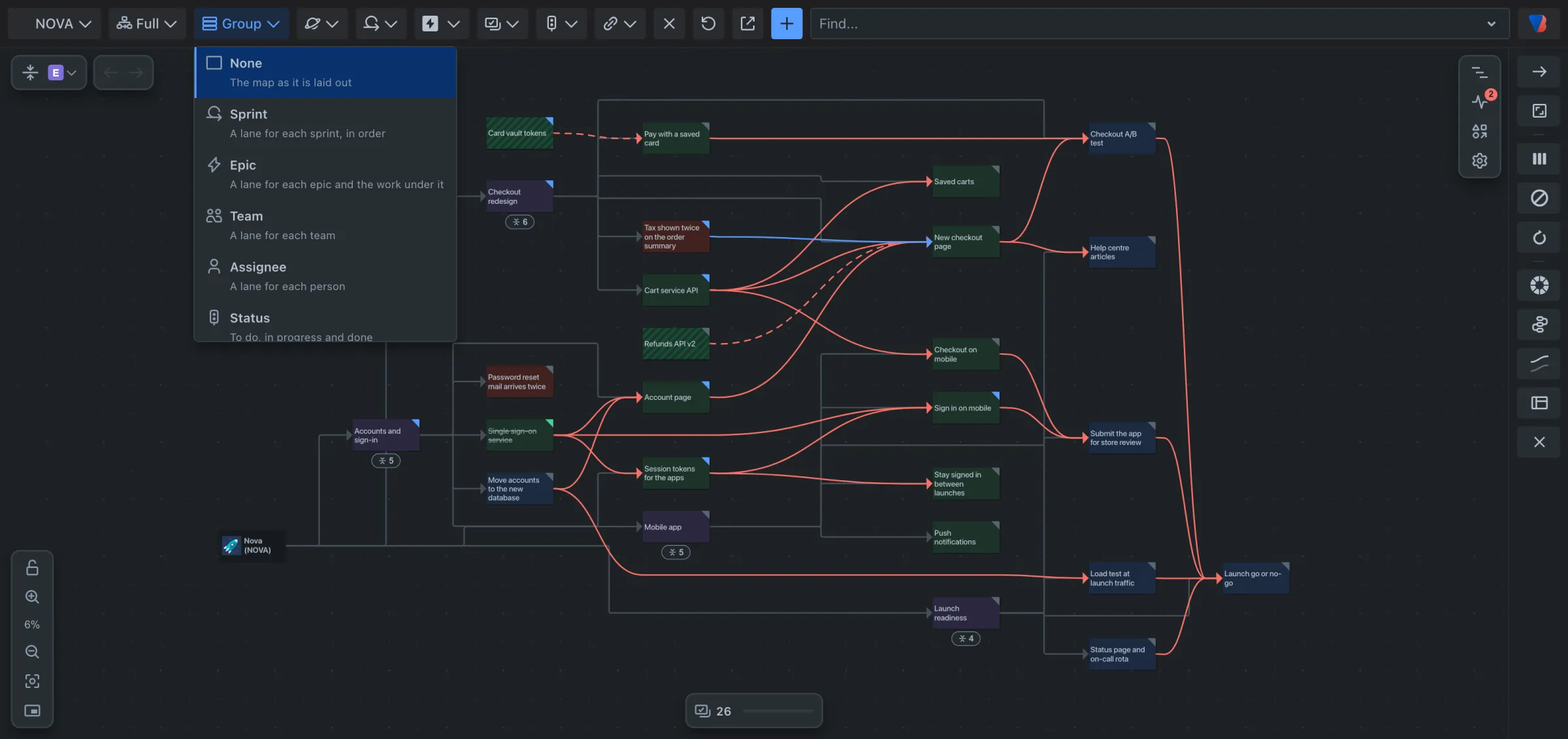
The map is redrawn in lanes, and the button shows your choice, for example Group: Sprint.
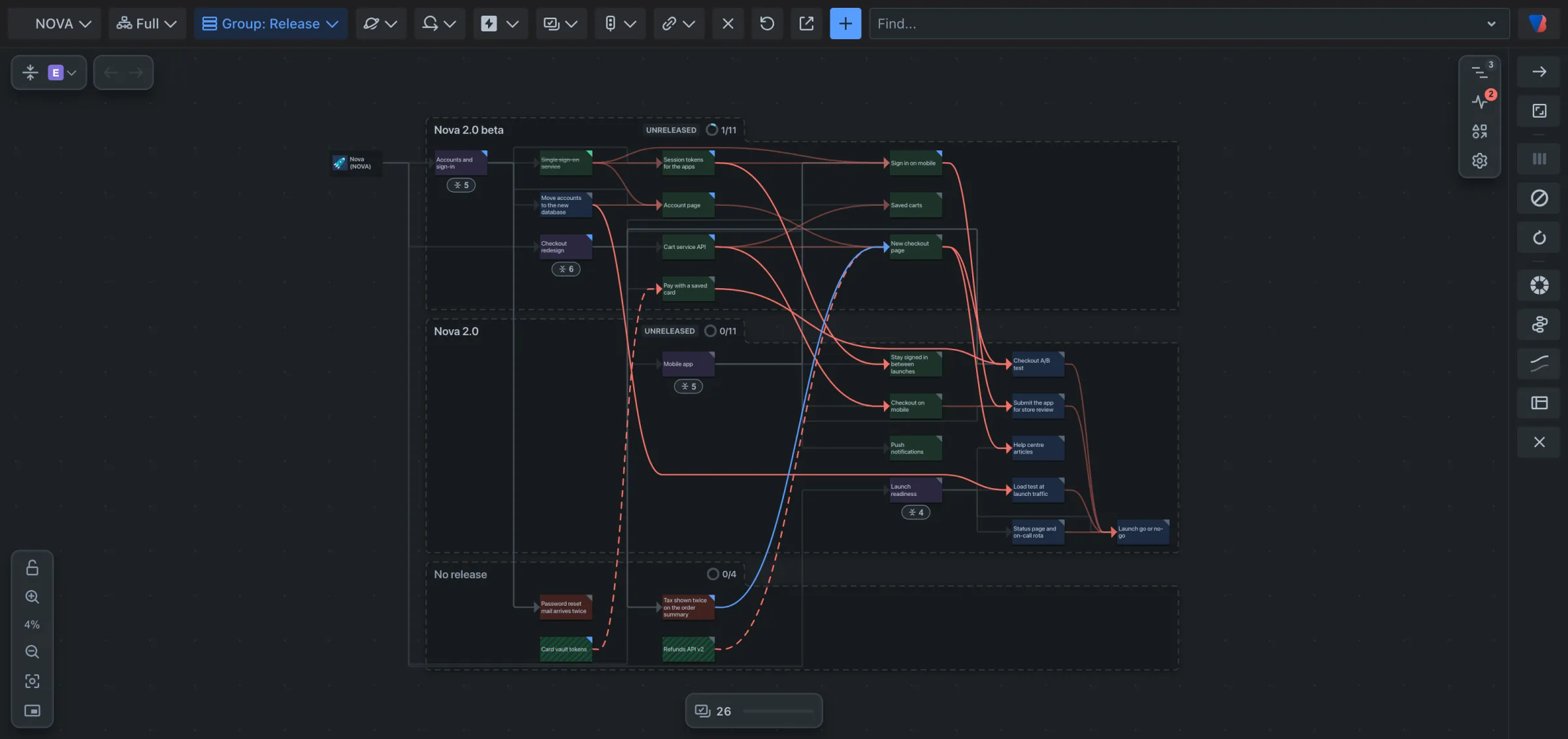
Read the lanes
- Each lane has a heading with its name and how much of its work is done. A sprint’s heading also says whether it is closed, active or future; a release’s says whether it is released.
- Sprints and releases are in date order.
- Work that belongs to no lane, such as a story with no team, gets a lane of its own at the bottom.
- The cards and links are the same as before. A line that leaves one lane and enters another is a dependency between two teams, two sprints or two releases.
Work with one lane
- Point at a lane’s heading. Two icons appear.
- Click Show what waits on another lane to pick out the work items in this lane that depend on work in another.
- Click Open in Jira search to open the lane’s work items as a list in Jira.
Go back to the ungrouped map
- Click Group in the toolbar.
- Choose None.
Good to know
- Grouping is your own preference. It is not a step for Back and Forward, and it does not change what anyone else sees.
- Every option is listed in the grouping reference.