Tutorials
Find what an epic is waiting on
Pick one epic and see every work item that has to be finished before it, including work in other spaces, then check it for broken dependencies.
In this tutorial you answer one question with the map: what has to be finished before this epic can be? Jira shows an epic’s direct links. Visual Backlog follows them all the way down. It follows Read the map.
1. Pick the epic
- Open Visual Backlog in the space that holds the epic.
- Click the source menu at the left end of the toolbar. It shows the space’s key.
- Type the epic’s name or key.
- Pick the epic from the list.
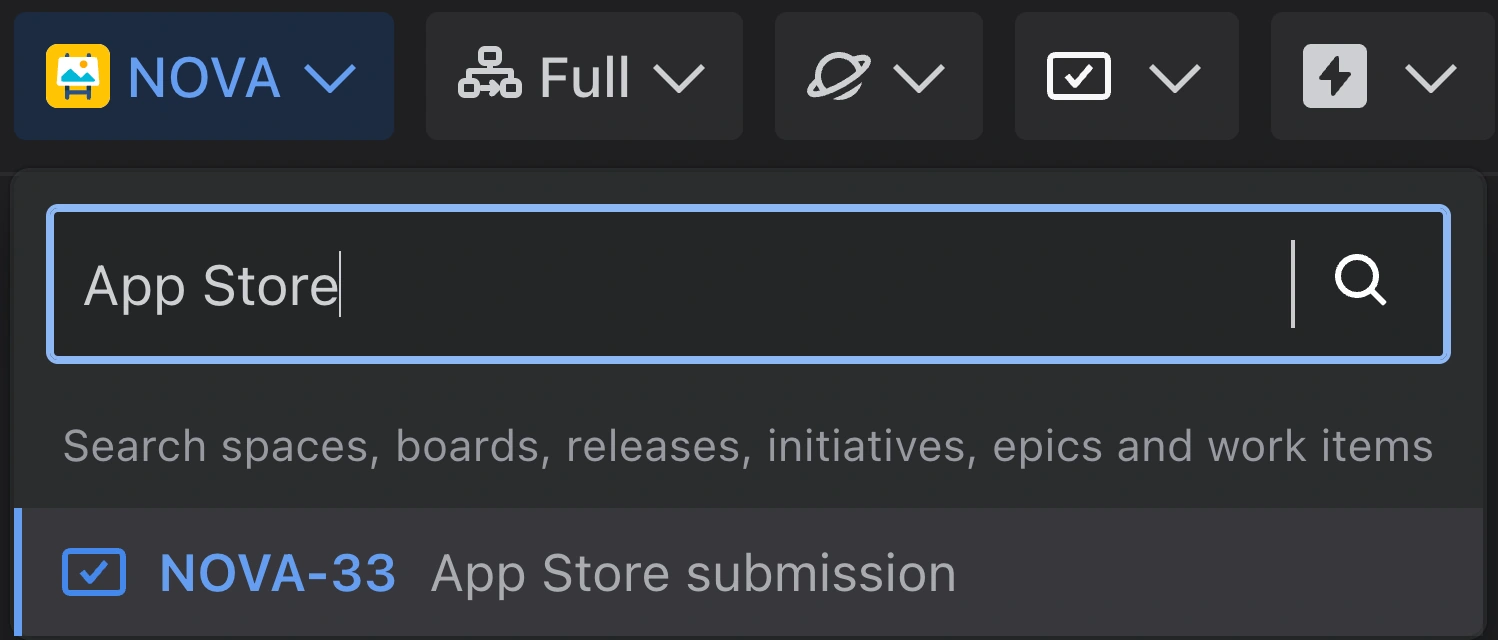
The map now shows only that epic and everything it is waiting on: the work inside it, every work item that blocks any of that work, in any space, and whatever blocks those, step by step.
2. Read what came back
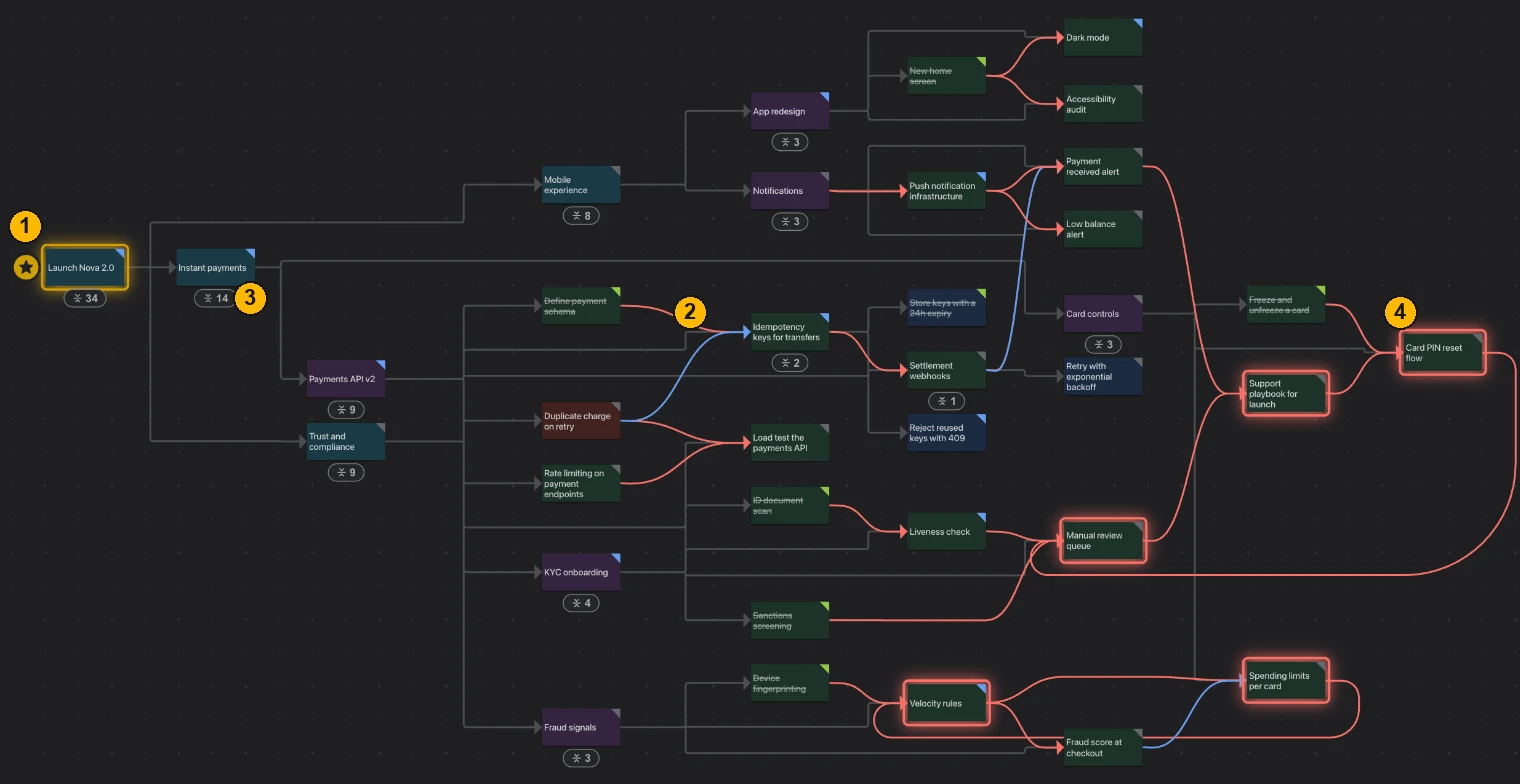
- The epic you picked has a star beside it.
- A red line joins two work items where the first has to be finished before the second.
- A folded card stands for the work inside it. Click the badge under it to unfold it.
- A red outline marks a circular dependency.
3. Follow a chain
- Find a card at the far end of a red line, away from the epic. That is work nothing else is holding up.
- Hold Shift and point at it to see what it is linked to.
- Hold Alt (Option on a Mac) and click it to zoom in on it.
- Hold Alt and click an empty spot to zoom back out.
4. Check for broken dependencies
- At the right of the map, click the second icon, Backlog health. A red number on the icon says how many problems were found.
- Point at a problem in the list. The work items involved light up on the map.
If there is a circular dependency, fix it before anything else: the work in it can never start. See Find and fix a circular dependency.
5. Go back to the whole space
- Click Back, the left arrow at the top left of the map.
You are on the map of the whole space again, where you left it.
What you have learned
You can pick any work item, see everything it is waiting on, and get back. From here, use the guides for single tasks, starting with Trace what a work item is waiting on.