Visual Backlog documentation
How to use Visual Backlog, the dependency map for Jira Cloud: tutorials to get started, guides for single tasks, and a reference for every control.
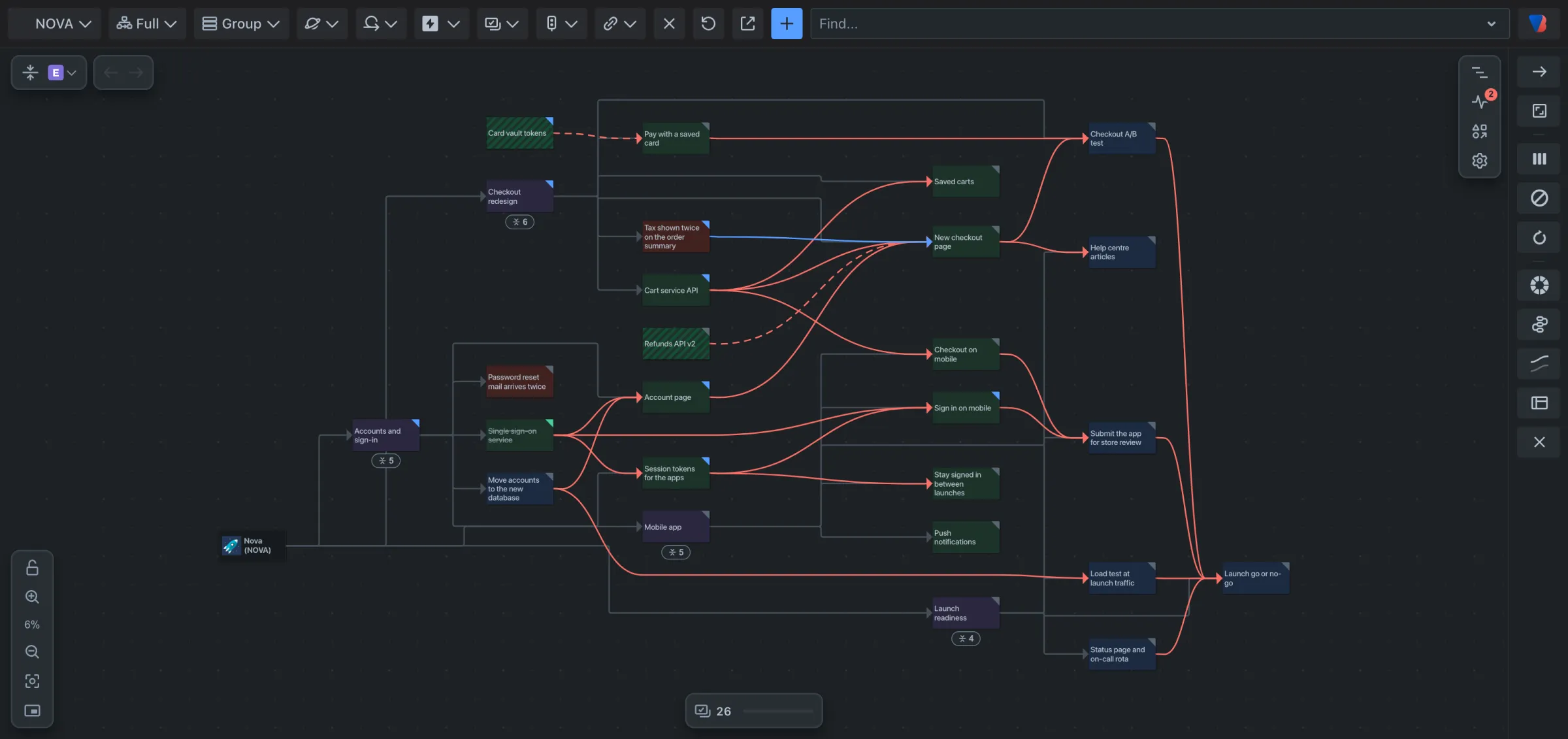
Visual Backlog is an app for Jira Cloud. It draws the work in a Jira space as a map: every work item is a card, and every link between two work items, such as blocks, is a line between their cards. You see what is waiting on what without opening work items one by one.
How these pages are organised
| If you want to | Read |
|---|---|
| Learn the product from the start | The tutorials, in order. Each takes a few minutes. |
| Get one thing done | A guide. Each covers one task in numbered steps. |
| Look up what a control does | The reference. |
Start here
Beyond one space:
- Save a map and share it, on Visual Backlog’s own page in Jira’s Apps menu.
- See what a work item is waiting on, from the work item.
Words used in these pages
- Space: what Jira used to call a project.
- Work item: what Jira used to call an issue. Epics, stories, tasks and bugs are all work items.
- Link: a Jira link between two work items, such as blocks or relates to.
- Dependency: a link that means one work item has to be finished before another. Unless your space says otherwise, that is Jira’s Blocks link.
- Map: what Visual Backlog draws.
- Source: where the map’s work comes from, for example a space or a search.
Help
If something does not work as these pages say, or a question is not answered here, contact support.