Reference
Sources
Every kind of source a map can be drawn from: a space, a board, a release, a saved filter, a JQL search, or what one work item is waiting on.
The source is where the map’s work comes from. The source menu is the first control in the toolbar and shows the current source. Type in its box to search spaces, boards, releases, initiatives, epics and work items.
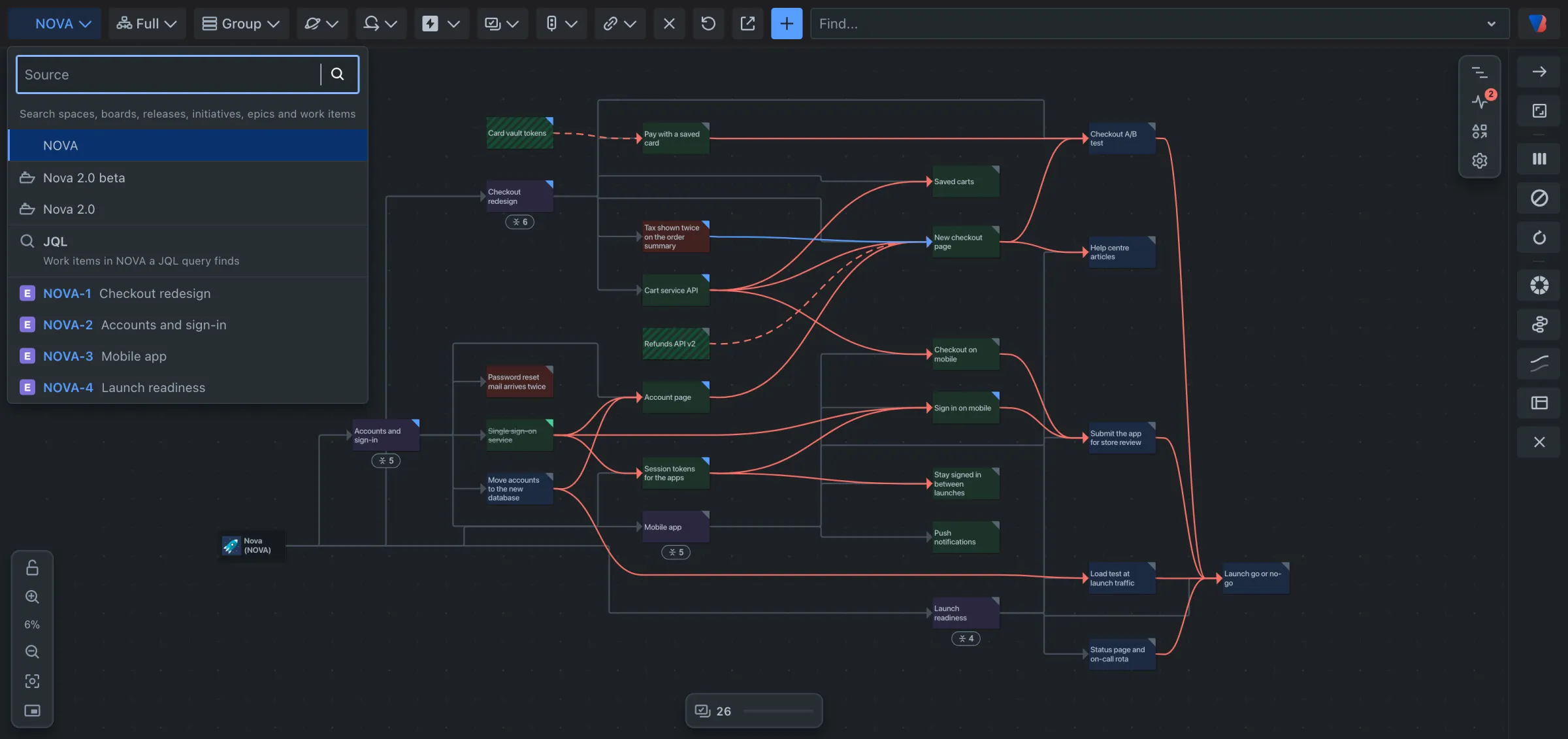
| Source | What the map shows | How to choose it |
|---|---|---|
| Space | Every work item in the space. | Pick the space. It is what a map opens on. |
| Board | The work items the board’s own filter finds. | Pick the board under Board. |
| Release | The work items in that release. | Pick the release under Release, or type its name. |
| Search | The work items a JQL query finds. | Choose JQL, type the query, press Enter. |
| Saved filter | The work items a Jira filter finds. | Starred filters are listed; type a name to find any other you may open. |
| What a work item is waiting on | One work item, the work inside it, and everything that blocks any of that, step by step, in any space. | Type the work item’s name or key and pick it, or use Show what this is waiting on above a card. |
With every source, work items in other spaces that the source’s work is linked to are drawn as well, as striped cards. Turn them off with External work items in the space filter.
Limits
- What a work item is waiting on draws at most 500 cards. Past that the map stops following the chain and says so.
- From a space, a JQL search is kept to that space.
- You only see work items you are allowed to see in Jira.
Finished work
Whatever the source, the status filter decides how much finished work is loaded: none, work finished in the last week, two weeks, month or three months, all of it, or a period you type. See Filter the map.
Several spaces and saved views
Mapping work from several spaces at once, and saving a map with its source to share, belong to Visual Backlog’s own page in Jira’s Apps menu. See Saved views, the work item and space settings.