Reference
Grouping
Every option in the Group menu, how lanes are ordered, and what a lane’s heading shows.
Group, the third control in the toolbar, puts the map into lanes. The cards and links stay the same; only where the cards sit changes.
| Option | The menu says | Lanes |
|---|---|---|
| None | The map as it is laid out | No lanes. |
| Sprint | A lane for each sprint, in order | One per sprint, in date order. The heading says closed, active or future. |
| Epic | A lane for each epic and the work under it | One per epic. |
| Initiative | A lane for each initiative and the work under it | One per initiative. Offered when your site has a level above epic. |
| Team | A lane for each team | One per team, from Jira’s Team field. |
| Assignee | A lane for each person | One per assignee. |
| Status | To do, in progress and done | Three lanes. |
| Release | A lane for each release, by date | One per release, in date order. The heading says released or unreleased. |
| Space | A lane for each space | One per space. Useful when the map holds work from other spaces. |
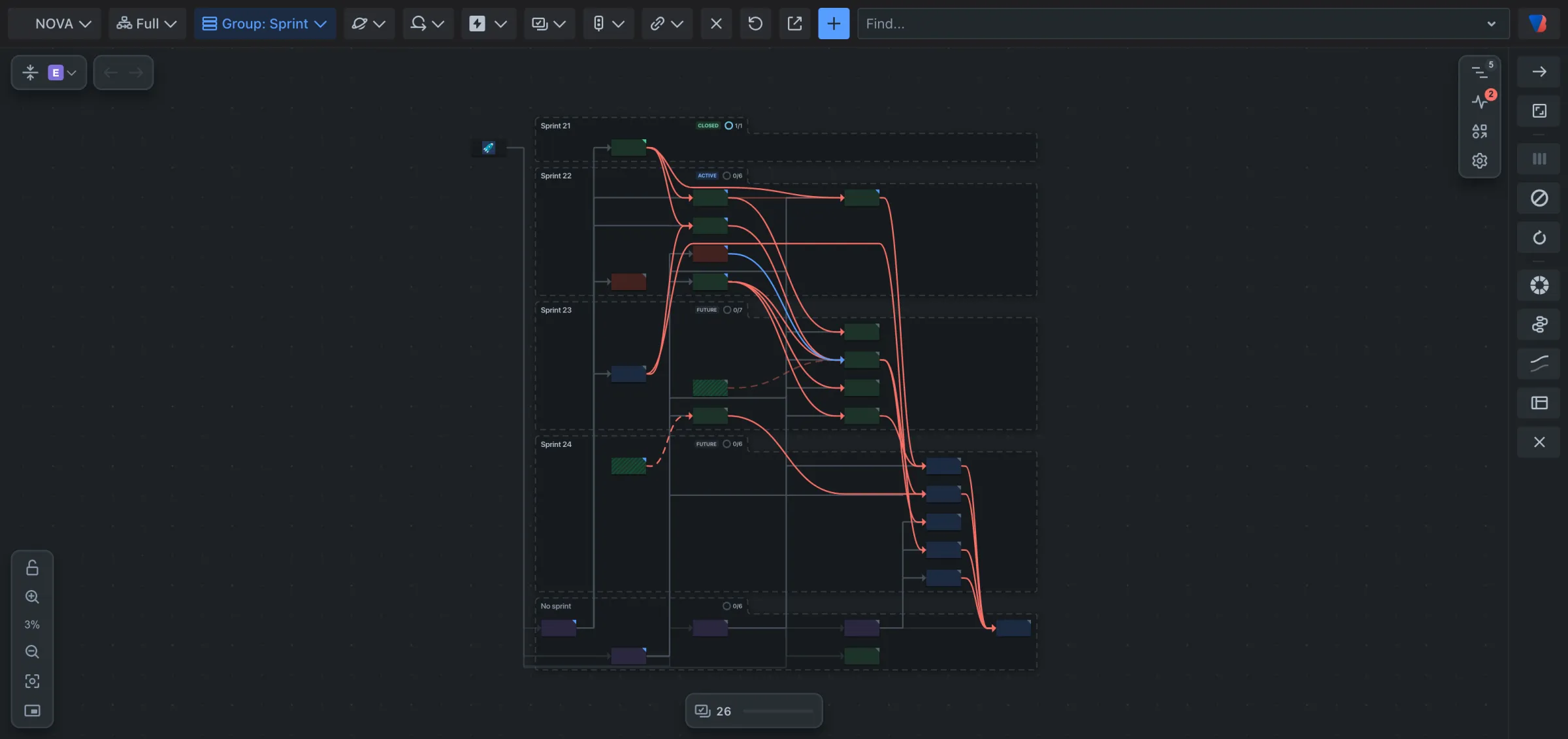
Lane headings
Each heading shows:
- the lane’s name,
- for a sprint or release, its state,
- how much of its work is done, as a ring and a count such as 1/11.
Point at a heading for two actions:
| Action | What it does |
|---|---|
| Open in Jira search | Opens the lane’s work items as a list in Jira. |
| Show what waits on another lane | Picks out the work items in this lane that depend on work in another lane. |
Work that belongs to no lane
Work with no value for the field, such as a story with no team, is put in a lane of its own at the bottom, named for example No sprint or No release.
Good to know
- The Group button shows the current choice, for example Group: Team.
- Grouping is your own preference for the space. It is not a step for Back and Forward.
- With the map grouped, the Navigator lists the lanes.