Tutorials
Read the map
What the cards, colours, corners and lines on a Visual Backlog map mean, using the Legend panel.
In this tutorial you learn to read a map: what a card shows, what its colours mean, and what each kind of line says. It follows Install and open your first map.
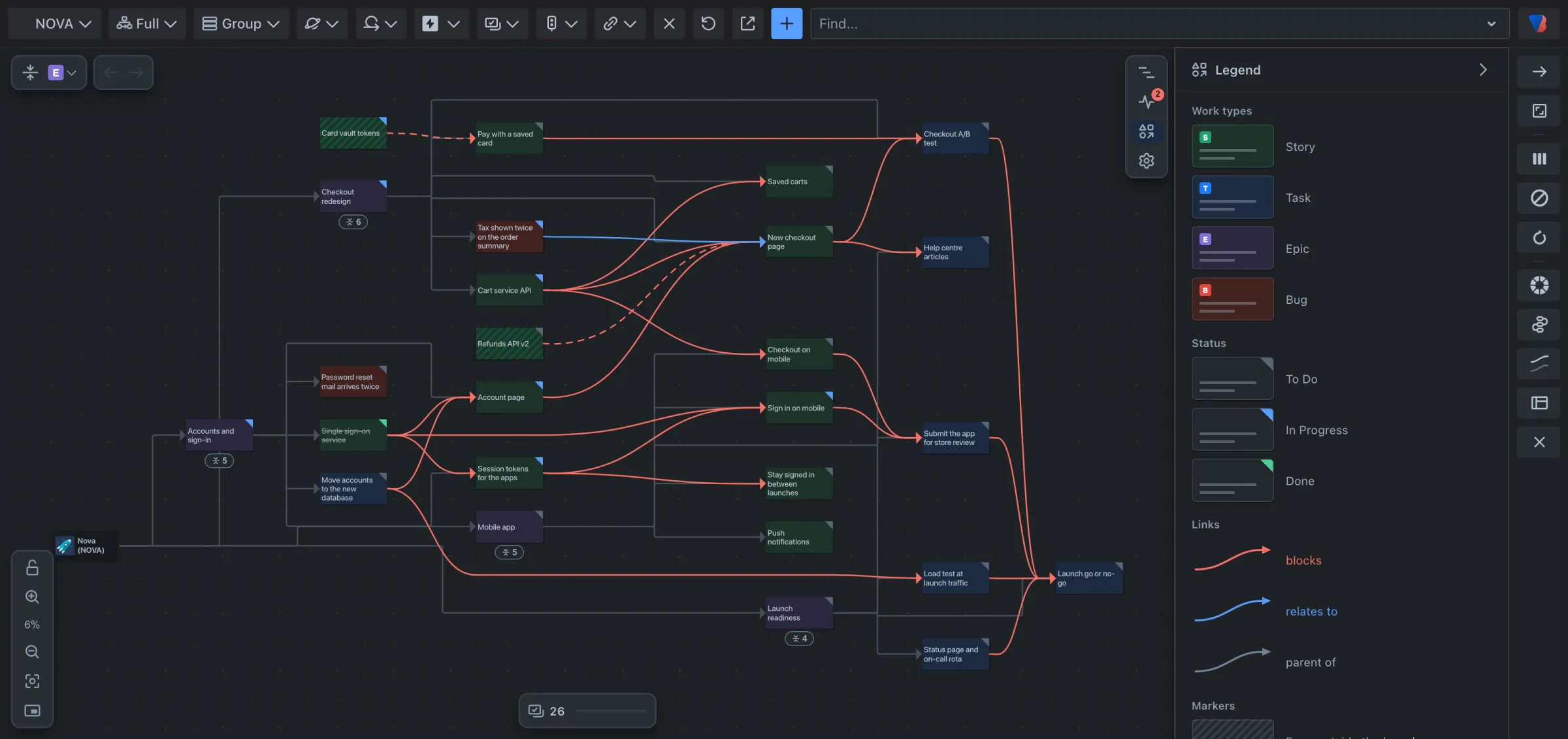
1. Open the Legend
- At the right of the map, click the third icon, Legend.
The Legend explains the map using small copies of what is on it. It only lists what is on your map right now.
2. Read a card
Each card is one work item.
- The card’s colour is its work type. In the sample space, stories are green, tasks blue, epics purple and bugs red. Your space’s own work types are listed in the Legend.
- The coloured corner at the top right is its status: grey for to do, blue for in progress, green for done. The title of a finished work item is struck through.
- A striped card is a work item from another space that something here is linked to.
Zoom in and a card shows more:
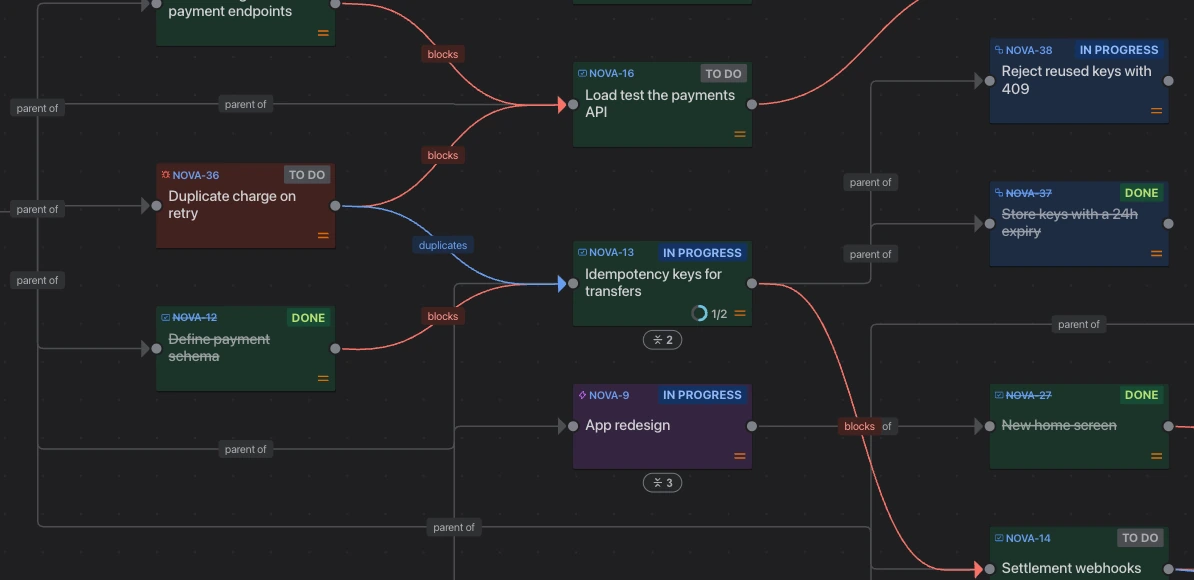
- its key and status at the top,
- its title,
- who it is assigned to,
- its story points,
- on a work item that contains others, such as an epic, a ring showing how much of the work inside it is done.
3. Read the lines
Each line is a link between two work items, or shows that one sits inside another.
- A red line is a dependency: the work item at the start of the line has to be finished before the one the arrow points at. In Jira’s words, the first blocks the second.
- A blue line is a relates to link. It joins two work items without saying one has to come first.
- A grey line shows what sits inside what: from a space to its epics, and from an epic to its stories.
Your space may use other link types. Each is listed in the Legend in the colour it is drawn in.
4. See what one card is linked to
- Hold Shift and point at a card. The card and everything it is linked to stay bright; the rest fades.
- Let go of Shift to bring everything back.
5. Know the outlines
- A red outline means the work item is part of a circular dependency: work items that wait on each other, so none can start. See Find and fix a circular dependency.
- A yellow outline with a star marks the work item the map is about, when you asked what one work item is waiting on.
- A blue outline marks the card you just jumped to.
6. Notice folded cards
A small badge with a number under a card means work is folded inside it. The number is how many work items. Click the badge to unfold them.
What you have learned
You can tell a story from an epic, a dependency from a plain link, and work that is done from work that is not. Next: Find what an epic is waiting on.