Reference
Panels
The four panels at the right of the map: Navigator, Backlog health, Legend and Settings.
Four icons at the right of the map each open a panel beside it. Click an icon to open its panel, and the arrow at the top right of the panel, Close the panel, to close it. Drag the panel’s left edge to make it wider or narrower.
Navigator
Lists what is on the map.
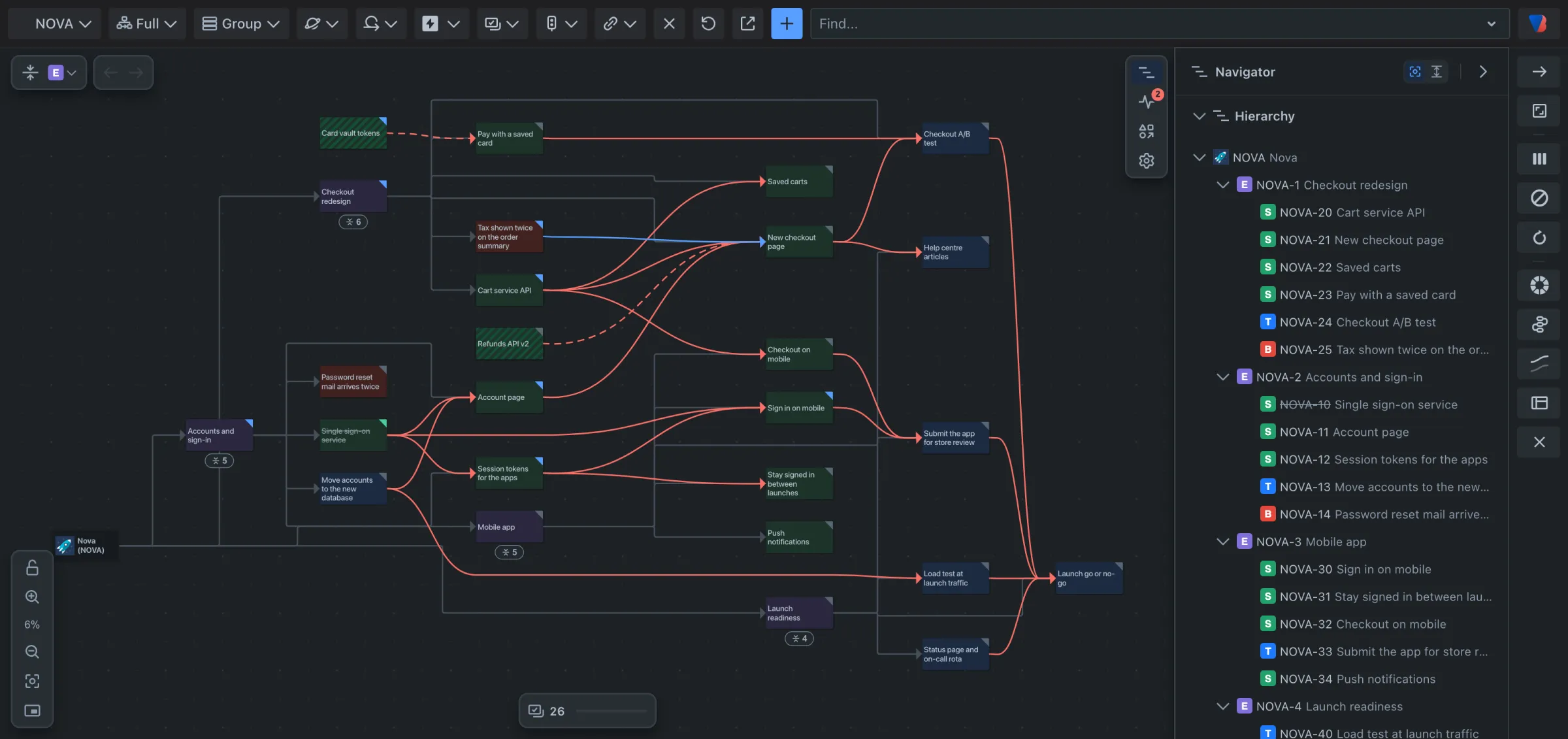
- Hierarchy: the space, its epics, and the work under each. Open or close a row with its arrow. When the map is grouped, the lanes are listed.
- Links: every link on the map, grouped by the two work items it joins.
| Do this | What happens |
|---|---|
| Point at a row | The map moves to show it. Turn this off with Follow the pointer at the top of the panel. |
| Click a row | The map goes there and stays. |
| Shift + click a row | Shows the work item and what it is linked to. |
| Alt + click a row | Shows just that work item. |
| Click a card on the map | Its row opens in the list. |
The button beside Follow the pointer opens or closes every row at once, which also unfolds or folds the map.
Backlog health
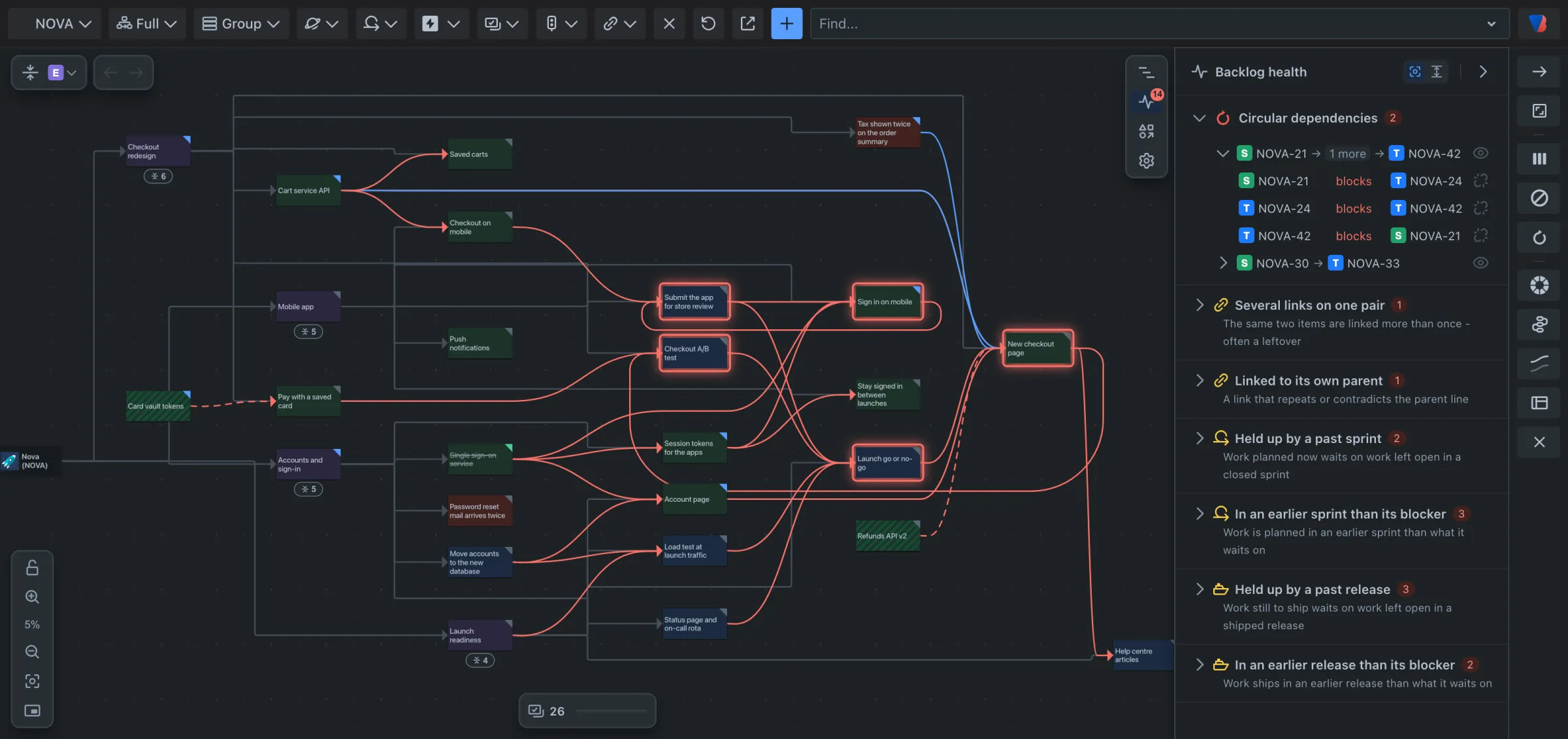
Lists problems found in the links. A red number on its icon is how many. Each kind of problem is a section; open one to see its rows, point at a row to light the work items up on the map, and click it to go to them. Every check is described in the Backlog health reference.
Legend
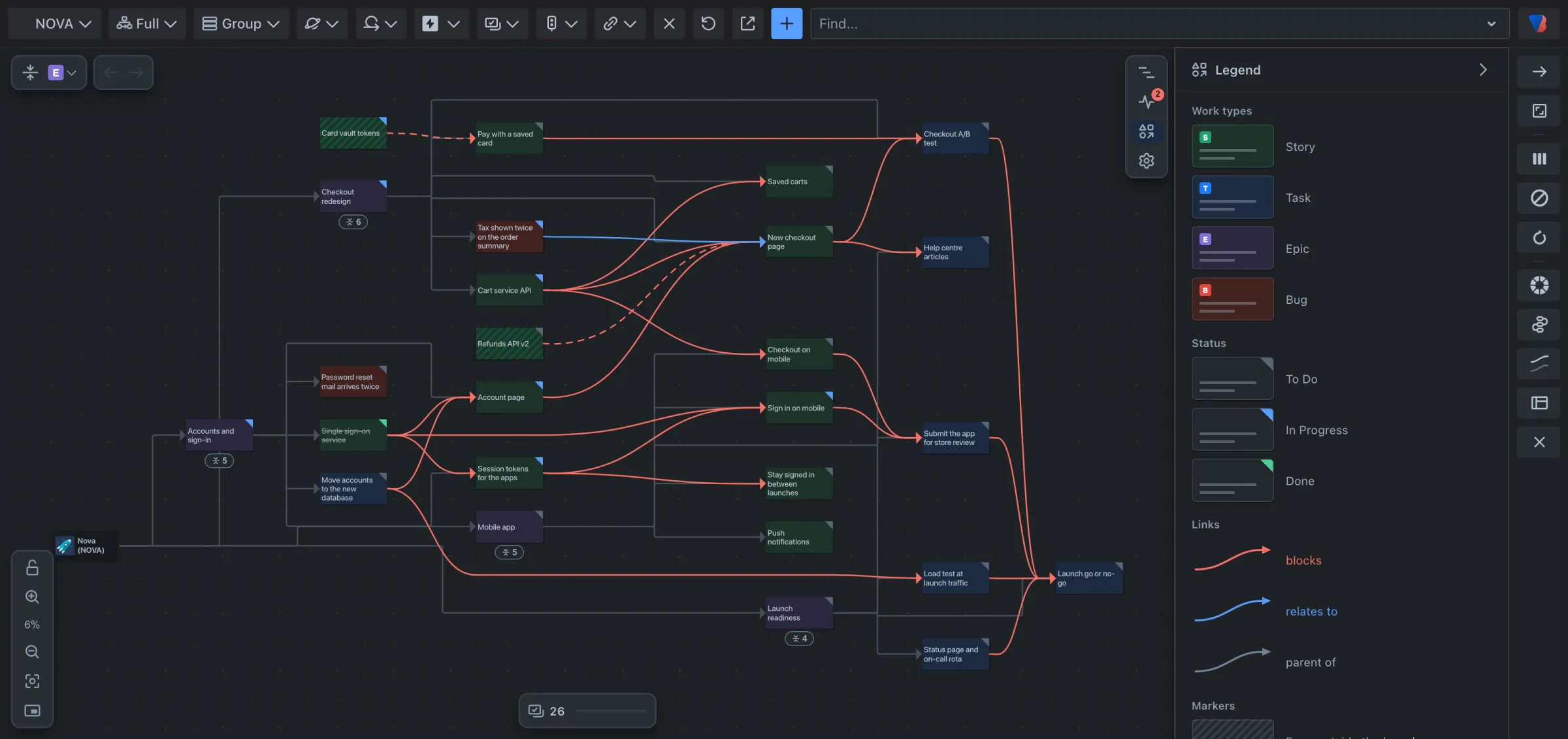
Explains the map using small copies of what is on it: Work types, Status, Links and Markers. It only lists what is on the map right now.
Settings
Settings that apply to everyone in the space.
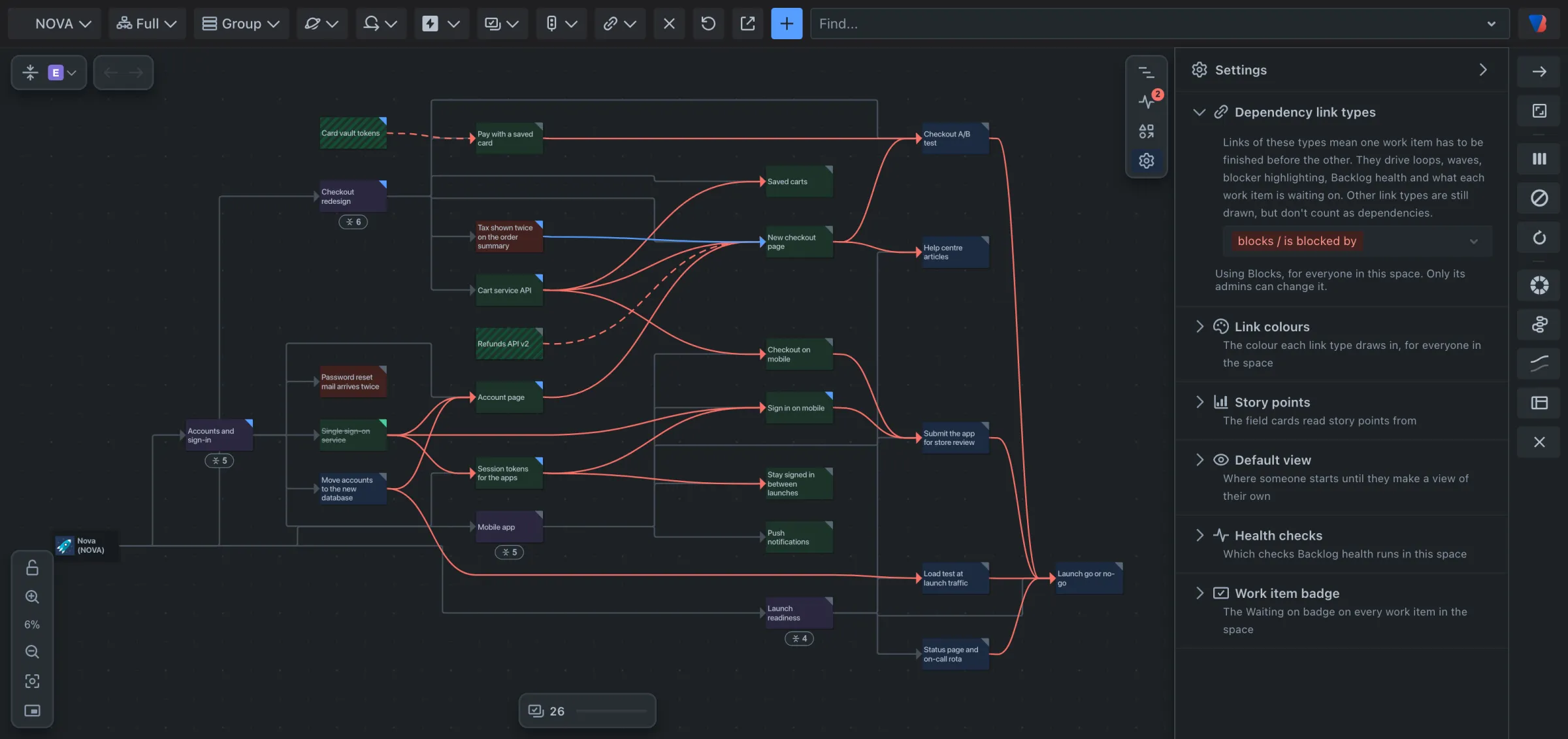
| Section | What it sets |
|---|---|
| Dependency link types | The link types that mean one work item has to be finished before another. See Change which link types count as dependencies. |
| Link colours | The colour each link type is drawn in. |
| Story points | The field cards read story points from. |
| Default view | Where someone starts until they make a view of their own. |
| Health checks | Which checks Backlog health runs in the space. |
| Work item badge | The Waiting on badge on every work item in the space. |