Catch broken dependencies before they stall your plan
Two tasks that each wait for the other can never start. Backlog health finds problems like this in your Jira links and helps you fix them in a click.
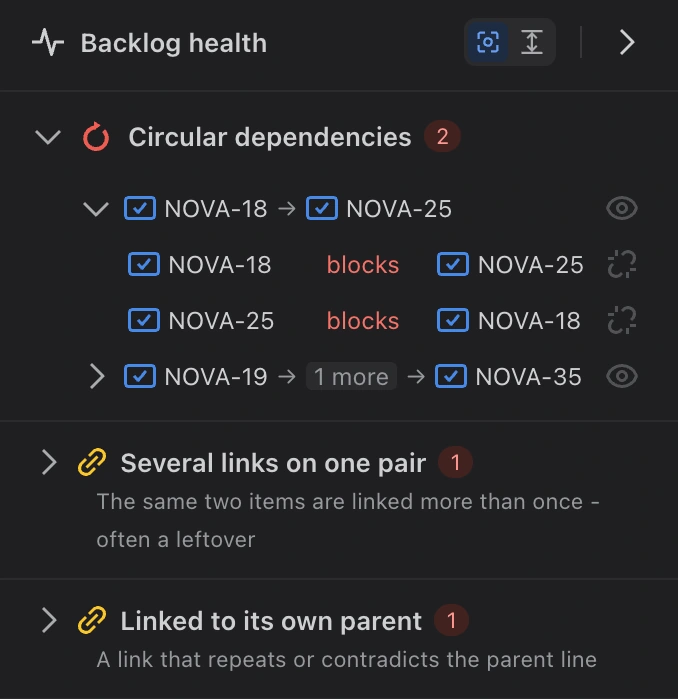
Backlog health lists the problems it found in your links.
Links between work items are added by many people over many months, and mistakes creep in. The most harmful is a circular dependency: task A cannot start until B is done, but B is waiting on A. Neither can ever start, and nobody notices until the work is late. On a long list of Jira links it is almost impossible to spot.
Backlog health is a new panel that checks your links for you. It finds three kinds of problem:
- Circular dependencies: work items that wait on each other in a circle, so none of them can start.
- The same two work items linked more than once, usually a leftover from an earlier change.
- A work item linked to its own parent, for example a story that blocks its own epic. That link either repeats what the parent relationship already says, or contradicts it.
How to use it
- Open the Backlog health panel from the icons at the right of the map. A small red number on its icon tells you how many problems were found.
- Point at a problem in the list: the work items involved light up on the map.
- Click it to show only those work items, and remove the link that should not be there, right from the list.
Health always checks everything that was loaded, even work you have collapsed. If a problem is hidden inside a collapsed card, that card turns red.
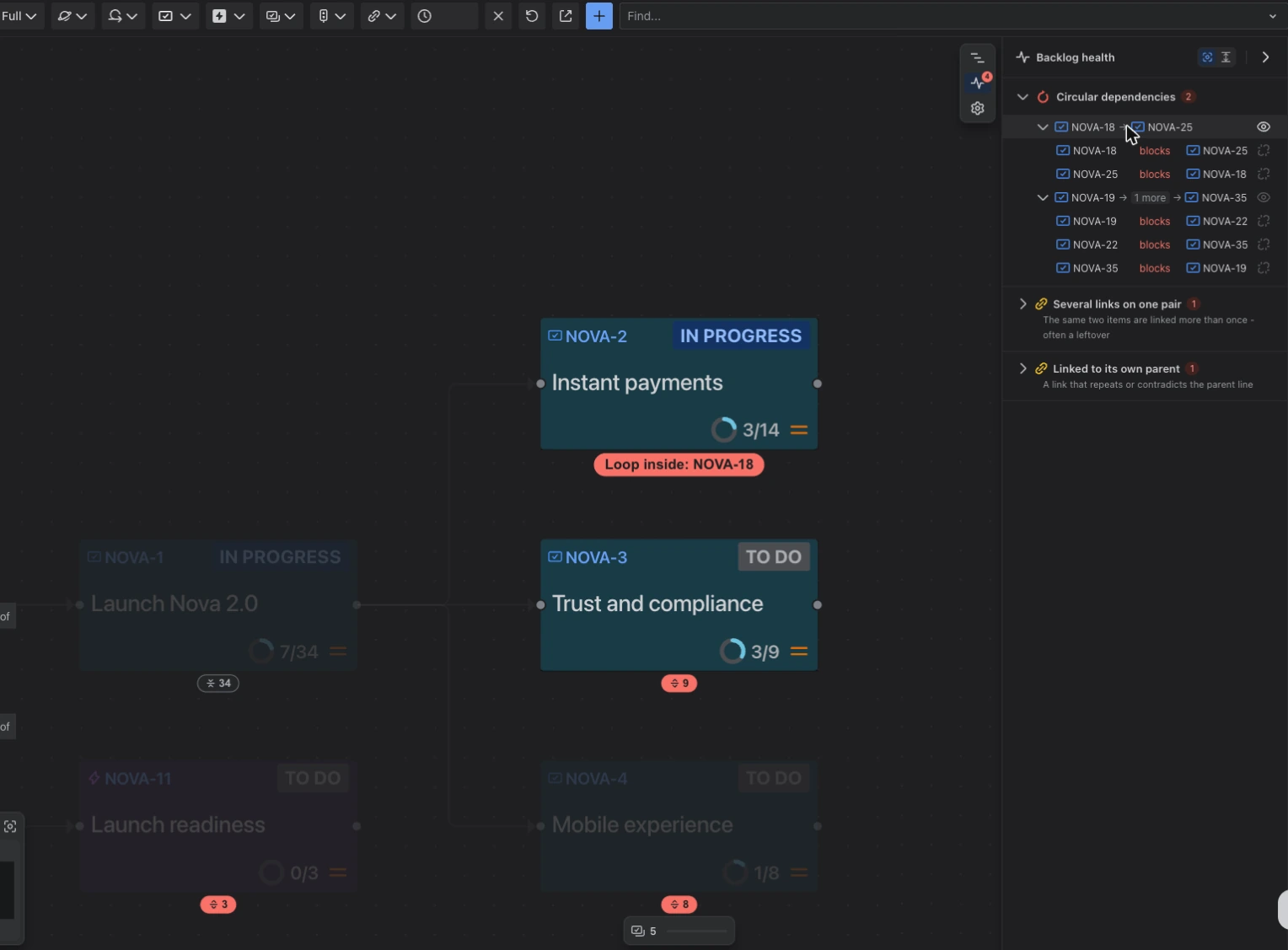
When something is hidden from view
You can hide some link types from the map, or switch to a view that shows only dependencies. When that hides part of a problem, Backlog health tells you, with a Show link to bring it back.
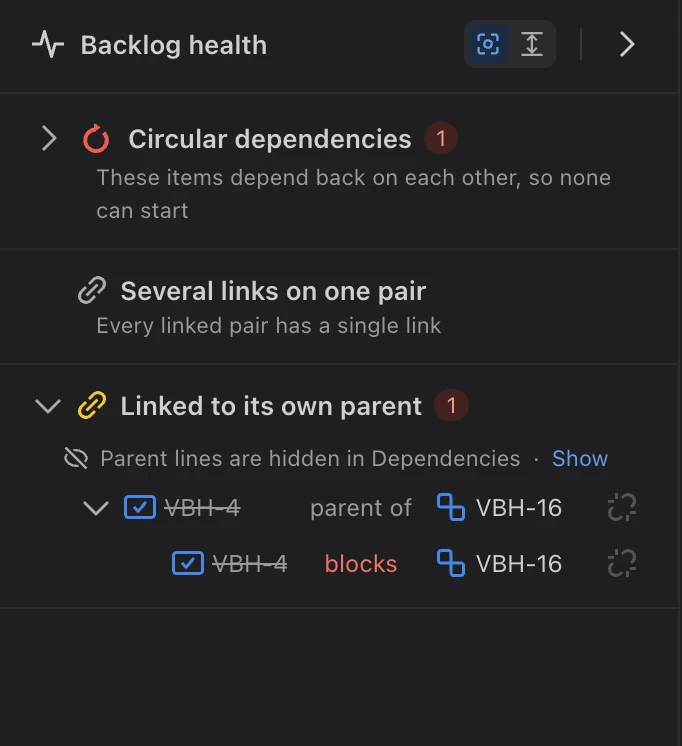
Teams that link stories to their epics on purpose can turn that check off for their space; see Settings for everyone in a space.