Faster, calmer and easier to read
Visual Backlog now opens about a third faster, keeps the picture steady when you focus on something, and explains every colour and line in a new legend.
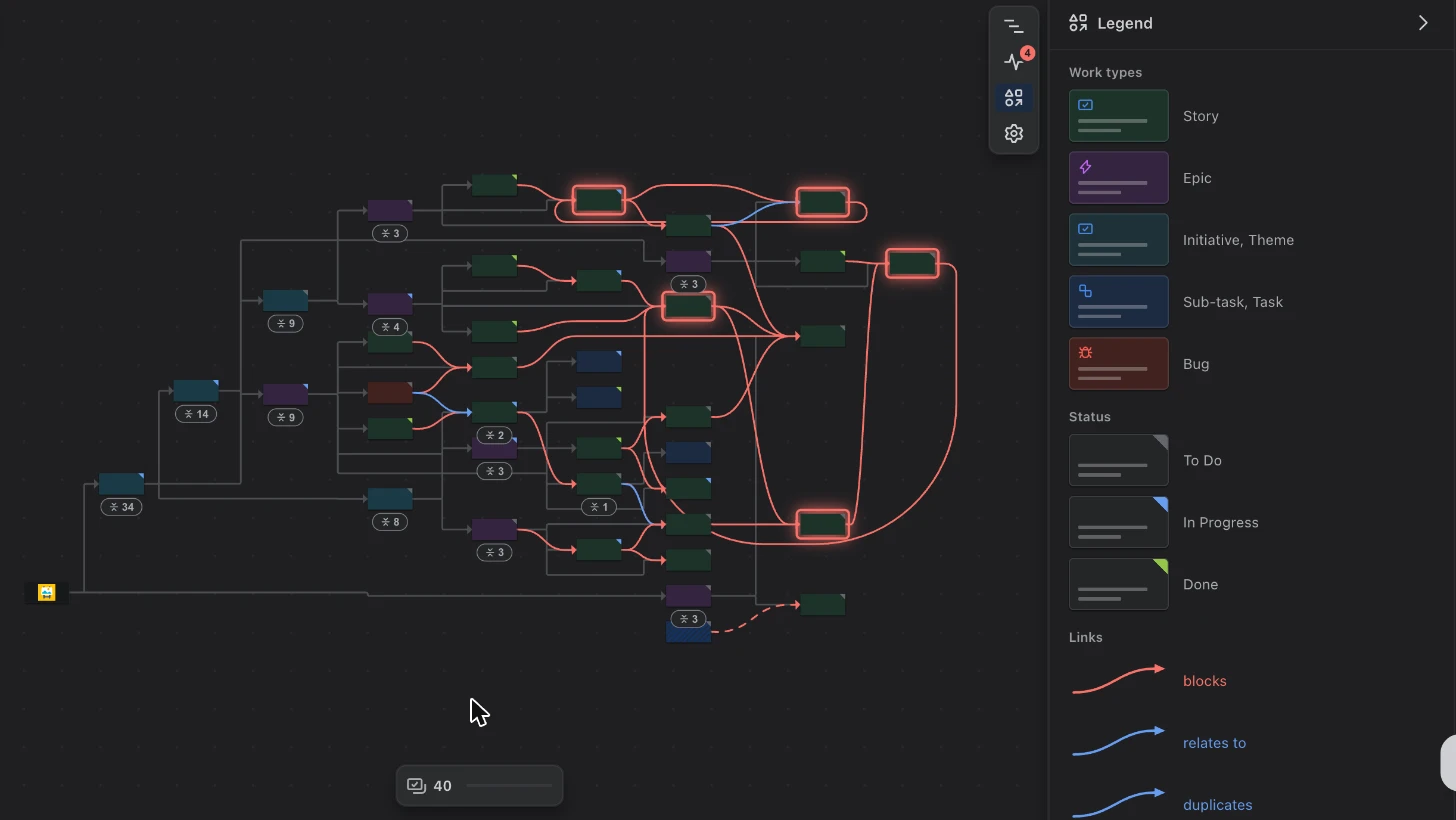
The new Legend explains what each colour, corner and line on the map means.
The other guides in this series are about new things you can do. This one is about how it feels to use Visual Backlog every day.
Faster
On a typical space we measured, the first cards now appear after about 3 seconds instead of 4.6. Moving around the map and zooming are smoother too, and collapsing or opening a card you have opened before is instant. The bigger your space, the bigger the difference.
A legend for the map
A map uses colours, corners and lines to say a lot at once. The new Legend panel explains them, using small copies of what is actually on your map:
- the colour of each kind of work item, such as stories, epics and bugs;
- the coloured corner that shows a work item’s status: to do, in progress or done;
- each link type, in the colour it is drawn in.
It only lists what is on the map right now. Open it from the icons at the right of the map.
Focusing without losing your place
When you point at something in a list, or focus on part of the map, everything else now fades instead of disappearing. The picture keeps its shape, so you never lose track of where you were.
Cards also show more at a glance: the work item’s key and status, a progress ring for epics and stories, story points, the sprint, and a mark on work from other spaces. As you zoom out, cards simplify into shapes; as you zoom in, details come back.
Highlights that mean one thing each
- Red outline: the work item is part of a circular dependency.
- Yellow outline with a star: the work item the map is about, when you asked what one work item is waiting on.
- Blue outline: the card you just jumped to.
Less clutter
- Lines from an epic to its stories are only labelled when you point at them.
- The small overview map in the corner starts hidden; the zoom controls and search are enough to get around.
- On a narrow screen, the toolbar no longer pushes the map out of view.